Read the air.Map every channel.
Turn observable WiFi metadata into a live spectrum, channel plan, signal survey, and security review. No packet capture.
- Bands
- 2.4 / 5 / 6 GHz
- Refresh
- 1–30 seconds
- Input
- Metadata only
Discover networks
Inside the product
See What Your Airwaves Are Saying
Map wireless activity, compare channels, diagnose connection quality, and turn security findings into practical next steps.
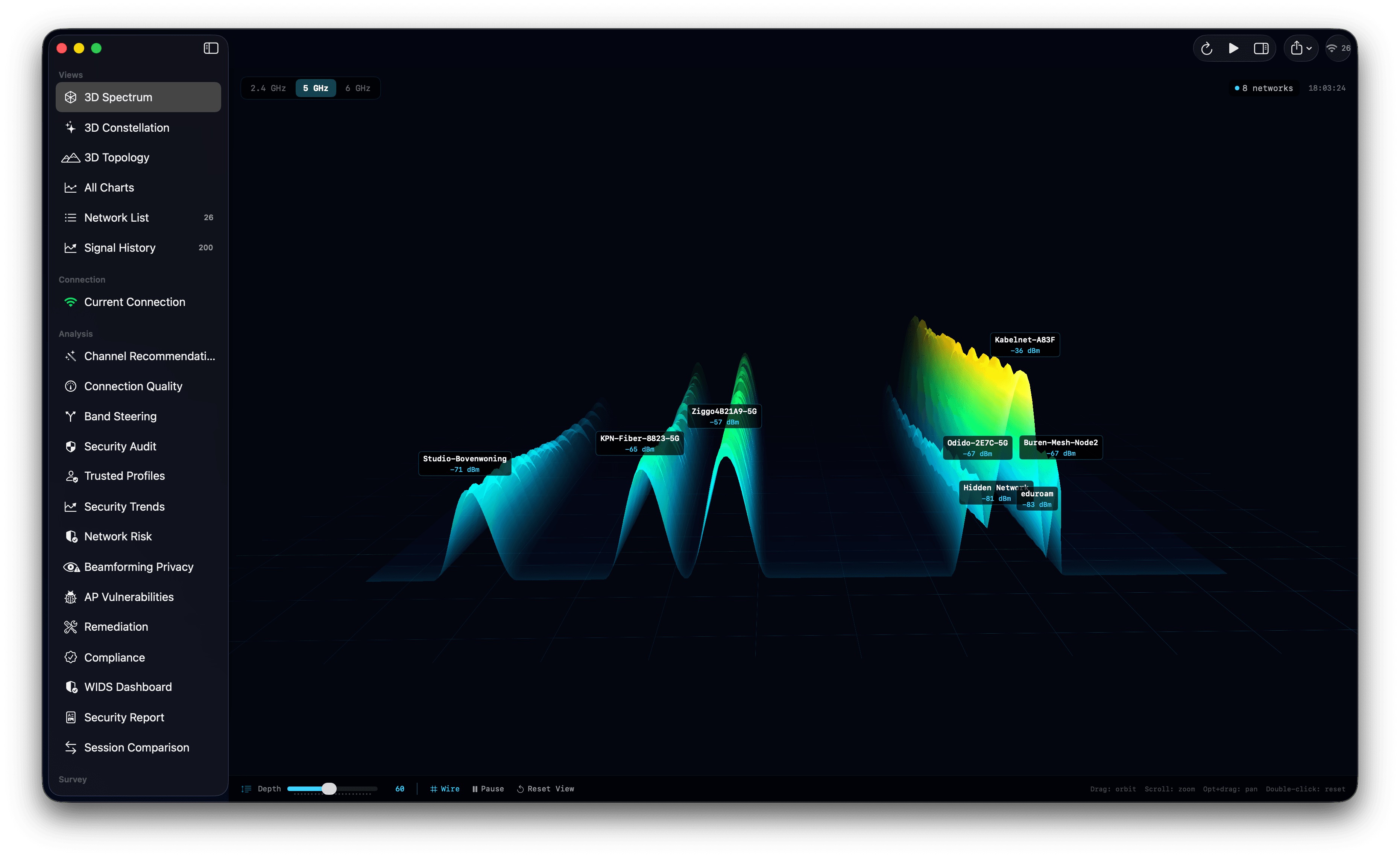
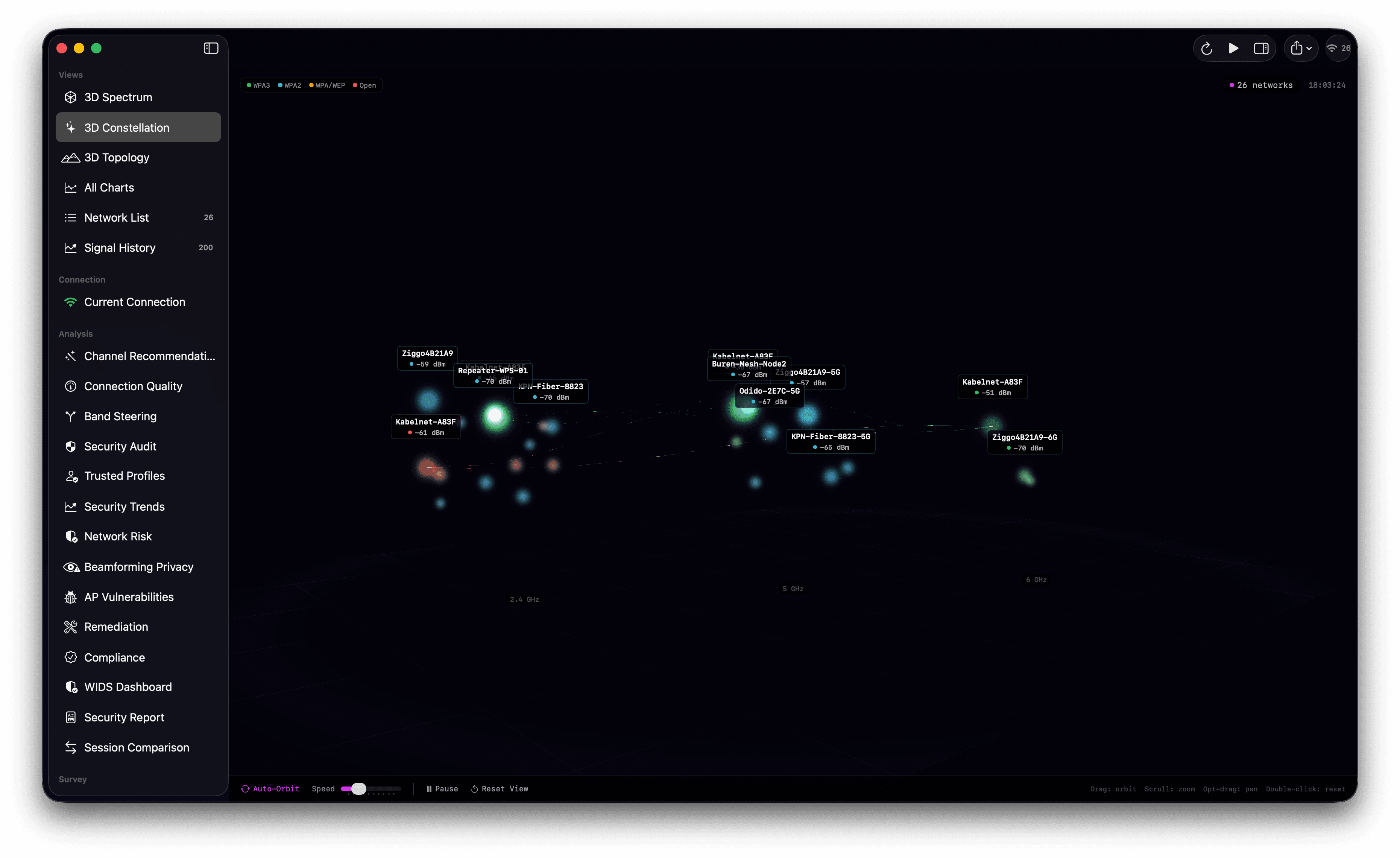
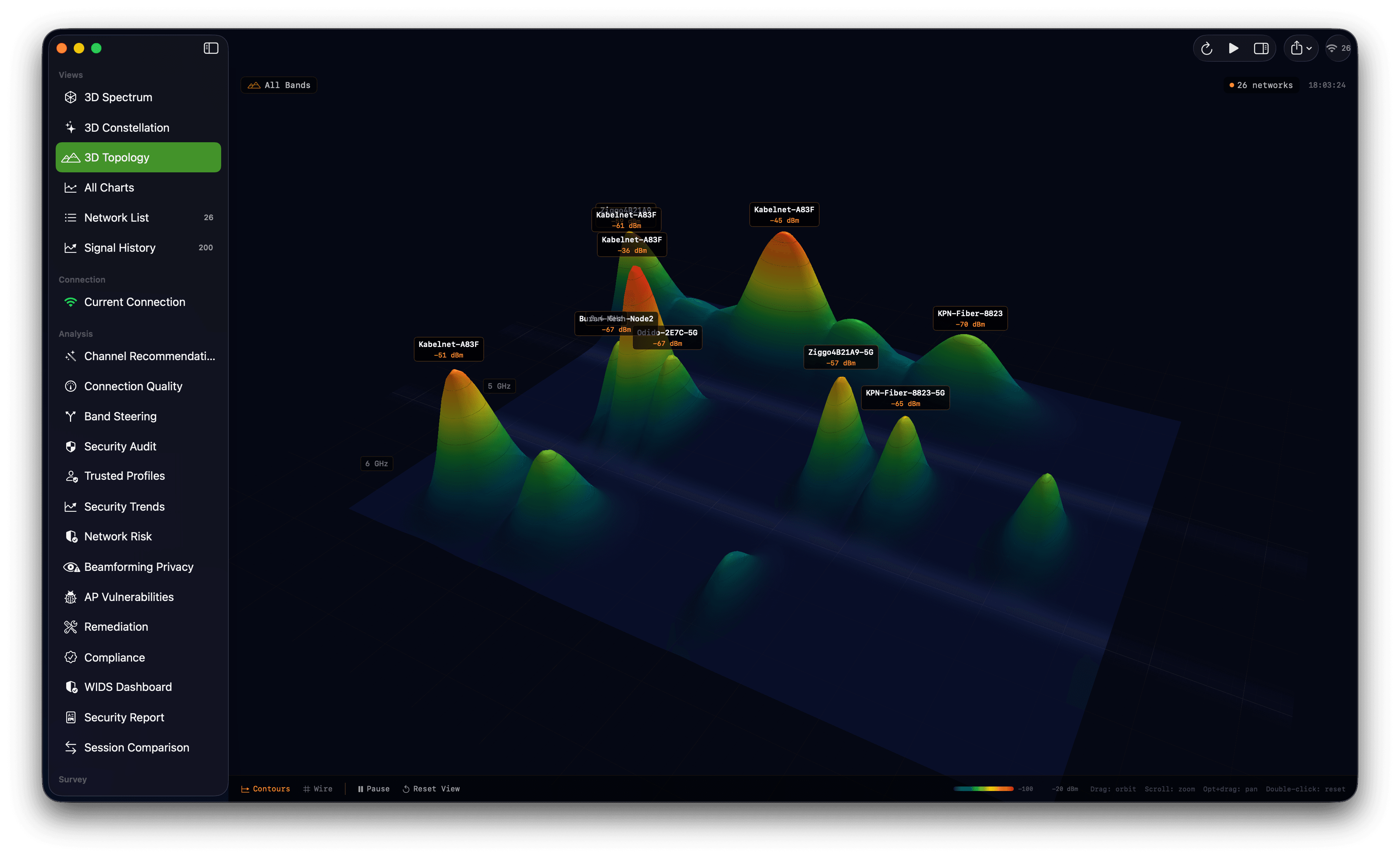
From ambient signal
to an actionable map
Core analysis uses Apple CoreWLAN and Metal APIs. Security results are heuristics from observable network metadata, not packet inspection.
Real-Time Scanning
Continuous WiFi scanning across 2.4, 5, and 6 GHz bands with event-driven updates every 1-30 seconds.
Channel Analysis
Optimal channel recommendations, overlap detection, congestion scoring, and band steering analysis.
Signal History
Track observable RSSI, noise, SNR, roaming, and security changes over time without capturing packet contents.
Signal Survey
Load floor plans, click-to-measure signal strength, generate IDW-interpolated heatmaps, export as PNG.
Session Recording
Named scan sessions, side-by-side comparison, known networks database, roaming event logs, and trusted network profiles that alert on any deviation.
Export Everything
Scan data as CSV (RFC 4180) or JSON (ISO 8601); charts as PNG (2x Retina) or PDF (vector); survey heatmaps as PNG.
Walk through
the radio field
Three Metal-rendered views of live scan data, with an interactive arcball camera.
Terrain mesh mapping channels x time x signal strength with topographic heat coloring and arcball camera control.
Evidence first.
Claims kept narrow.
Observation-based checks, correlation patterns, compliance mapping, and configuration guidance. No packet capture.
Observed Indicators
Compliance & Remediation
Compliance Frameworks
Vendor-Specific Remediation
Step-by-step fix instructions with priority levels and effort estimates
AP Vulnerability Assessment
Known CVE database per vendor (KRACK, FragAttacks, Dragonblood), hardware family estimation, and end-of-life detection
Network Risk Scoring
Weighted score across 10 supported factors. Beamforming capability is shown separately from observable metadata because CoreWLAN cannot establish active beamforming or BFI.
Scan. Interpret. Act.
From first scan to an exported report in three steps
Scan your environment
WiFi Analyzer continuously discovers networks across all bands. See every SSID, BSSID, signal strength, channel, and security protocol in real time.
Scanning 2.4 GHz / 5 GHz / 6 GHz...
━━━━━━━━━━━━━━━━━━━━━━━━━━━━━━━━━━━
HomeNetwork-5G    -42 dBm  CH 36   WPA3
CoffeeShop_WiFi   -67 dBm  CH 6    WPA2
NETGEAR-Guest     -71 dBm  CH 11   Open
Hidden_Network    -58 dBm  CH 149  WPA2
Office_Secure -45 dBm CH 44 WPA3Analyze observations
The security review and channel analyzer surface configuration issues and unusual metadata patterns for you to verify.
Act & export
Generate compliance reports, follow vendor-specific remediation steps, or export your data in CSV, JSON, PNG, or PDF format.
Download the WiFi Analyzer Whitepaper
WiFi channel analysis and observation-based security guidance with 3D Metal visualizations.
Monthly, yearly, or lifetime
Every plan includes the full app; the tiers only change how you pay.
Full access, cancel anytime.
- All 3D Metal visualizations
- Observation-based security review
- Channel analysis & recommendations
- All future updates
Billed as €48/year — save 20%.
- Everything in Monthly
- 2 months free
- Priority support
- All future updates
Buy once for the current major version.
- All v1.x updates included
- No recurring fees
- All visualizations & security tools
- Signal survey & heatmaps
All plans include a 14-day free trial. Prices are in EUR. Subscriptions can be cancelled at any time.
Stay up to date with WiFi Analyzer
Release notes, technical deep-dives and product updates. No spam, and you can unsubscribe at any time.
Scan your first network
in under a minute
Download, open, scan. The 3D views, observation-based security review, and channel recommendations run on your first scan.